AWS Config
Revision | Date | Description |
|---|---|---|
| 24.07.2024 | Init Changelog |
What is AWS Config?
AWS Config is a service that allows for the evaluation and audit of AWS resources. It continuously monitors the configurations of resources and evaluates their compliance with policies using selected rules. It also provides a detailed inventory of resources and their configurations, as well as a history of changes to those resources over time.
AWS Config operates within the region in which it was activated (thus collecting information about resources only in that region).
What are the features of AWS Config?
Real-time monitoring: AWS Config can monitor resources in real time, allowing users to quickly identify and address issues as they arise.
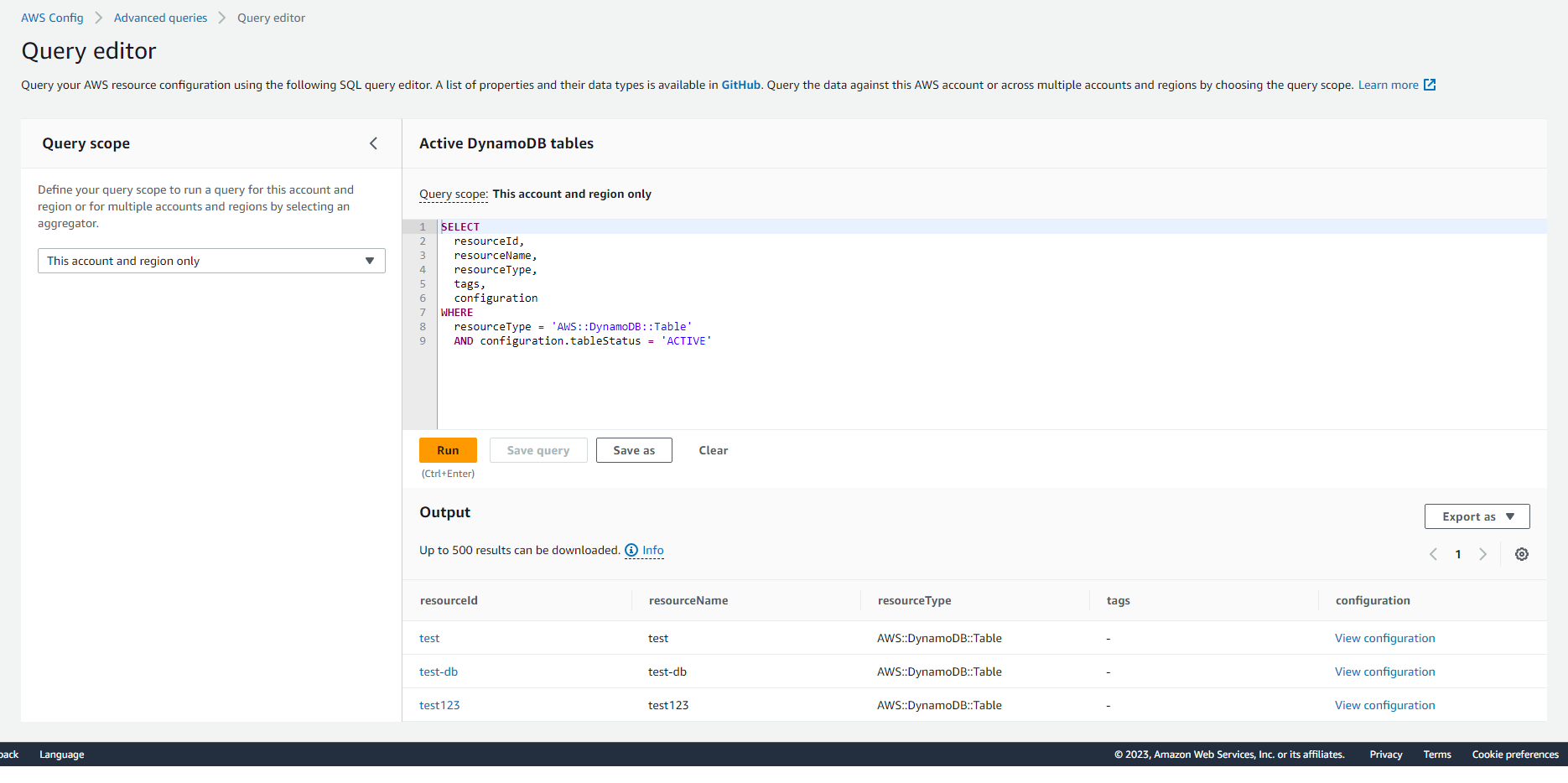
Resource inventory: AWS Config provides a detailed inventory of all resources in a user's account (remember that you need to enable AWS Config in all regions you are working on), including their configurations and relationships with other resources. You can use SQL queries to browse through recorded configuration items. A list of configuration properties and their data types is available in GitHub.
Configuration history: AWS Config maintains a history of changes to resources, allowing users to track changes over time and troubleshoot issues.
Compliance monitoring: AWS Config allows users to define rules to ensure that their resources are compliant with organizational policies and receive notifications when resources are non-compliant.
AWS Config Rules and Remediations
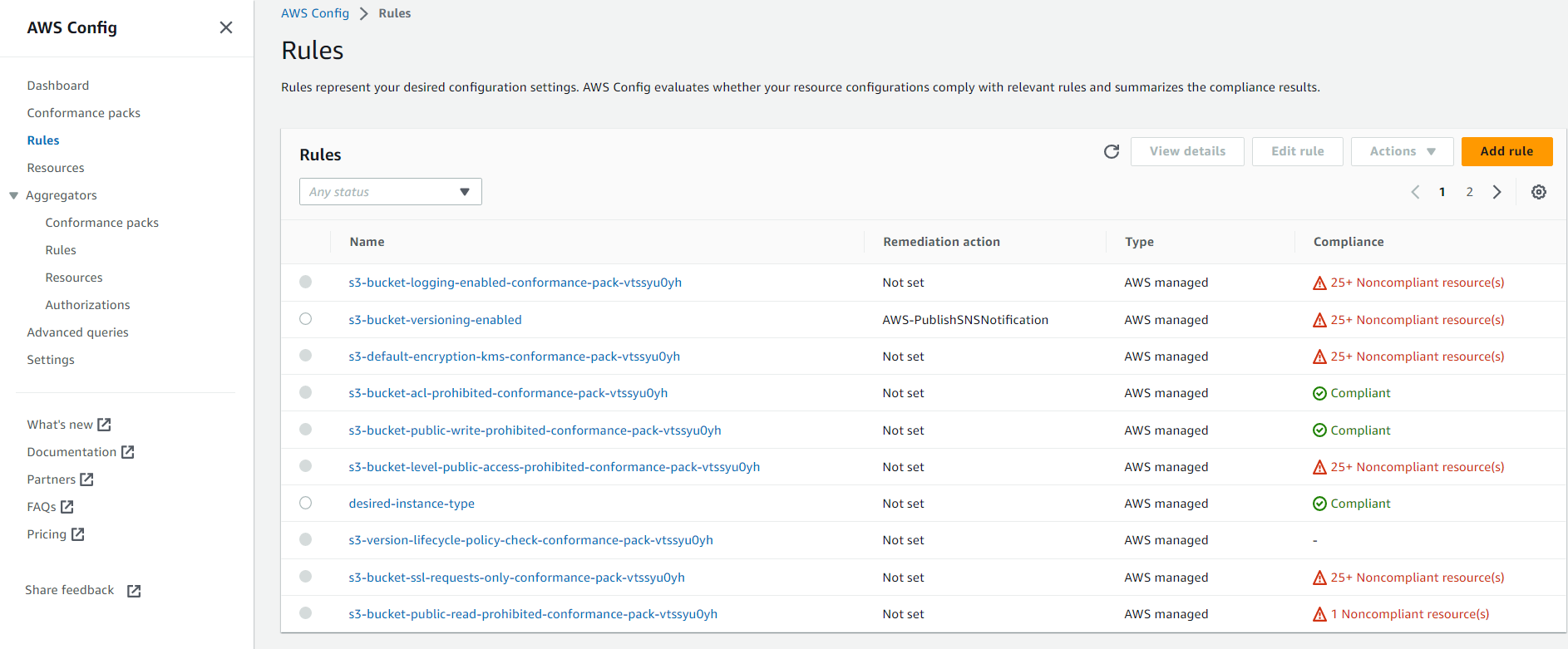
Rules are a part of AWS Config that directly performs evaluations and determines whether a resource is compliant with the policy of a given rule. Within Config, AWS provides over 300 different rules, but there is also the possibility of creating custom rules. Creating custom rules requires writing the appropriate code in Lambda, that is responsible for evaluating resource, and associating it with the new rule. You can also write custom rules with new feature - Guard Custom Policy, although it’s not as elastic as Lambda rule.
Each rule can perform an evaluation in two types of events:
Configuration Changes - resource evaluation begins when AWS Config detects a change in the resource configuration ( such as a change in tags, stopping an instance, changing the size of EBS, etc.) and passes the configuration data to the lambda executing the evaluation (Lambda Functions are only visible for custom rules).
Periodic - evaluation begins automatically every X hours (AWS Config allows for selecting checking every 1, 3, 6, 12, or 24 hours).
For some rules, it is possible to select both types of events simultaneously. For configuration changes, it is important to note that they only work for types of resources supported by AWS Config (a list of currently supported resources is available at: Resource Config Reference). This is because AWS Config only monitors changes in supported resources. Periodic checks do not have this limitation, as such rules do not use the configuration file provided by AWS Config. Instead, they make direct calls to AWS API to get specific information about resource
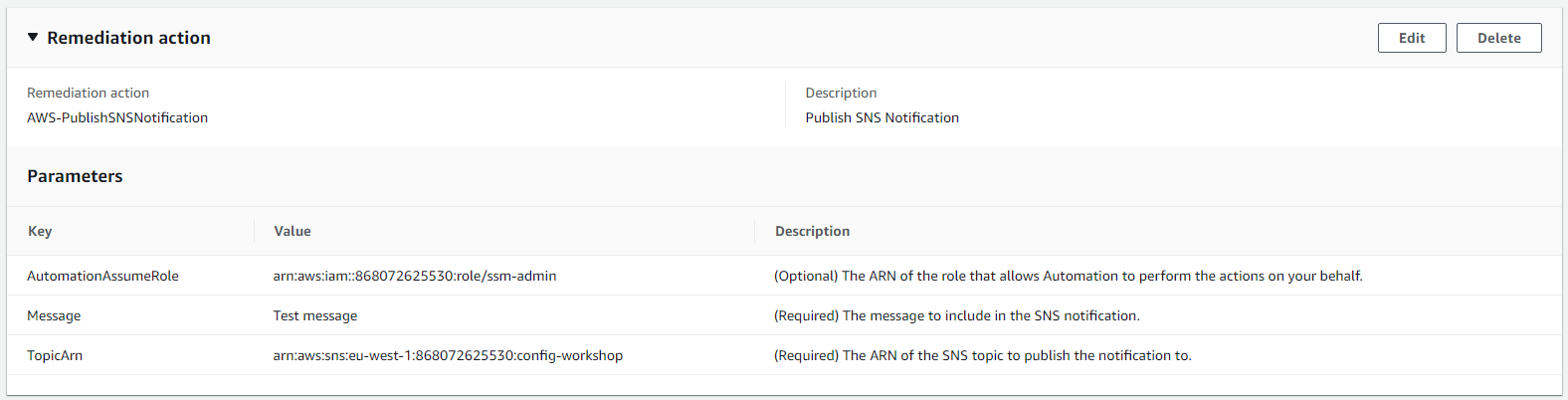
Within each rule, it is possible to set up its remediation. Remediations are automatic SSM documents (AWS Systems Manager Automation Documents), which are documents containing a set of commands, actions, and scripts. When a resource that does not comply with the rule is detected, remediation can be started. An example of remediation is sending an SNS (Simple Notification Service) notification or an email message about the non-compliant resource. One rule can have only one remediation.
There are two types of remediation:
Manual - initiated manually by the user.
Automatic - initiated automatically when a resource that does not comply with the rule is detected.
Conformance Packs
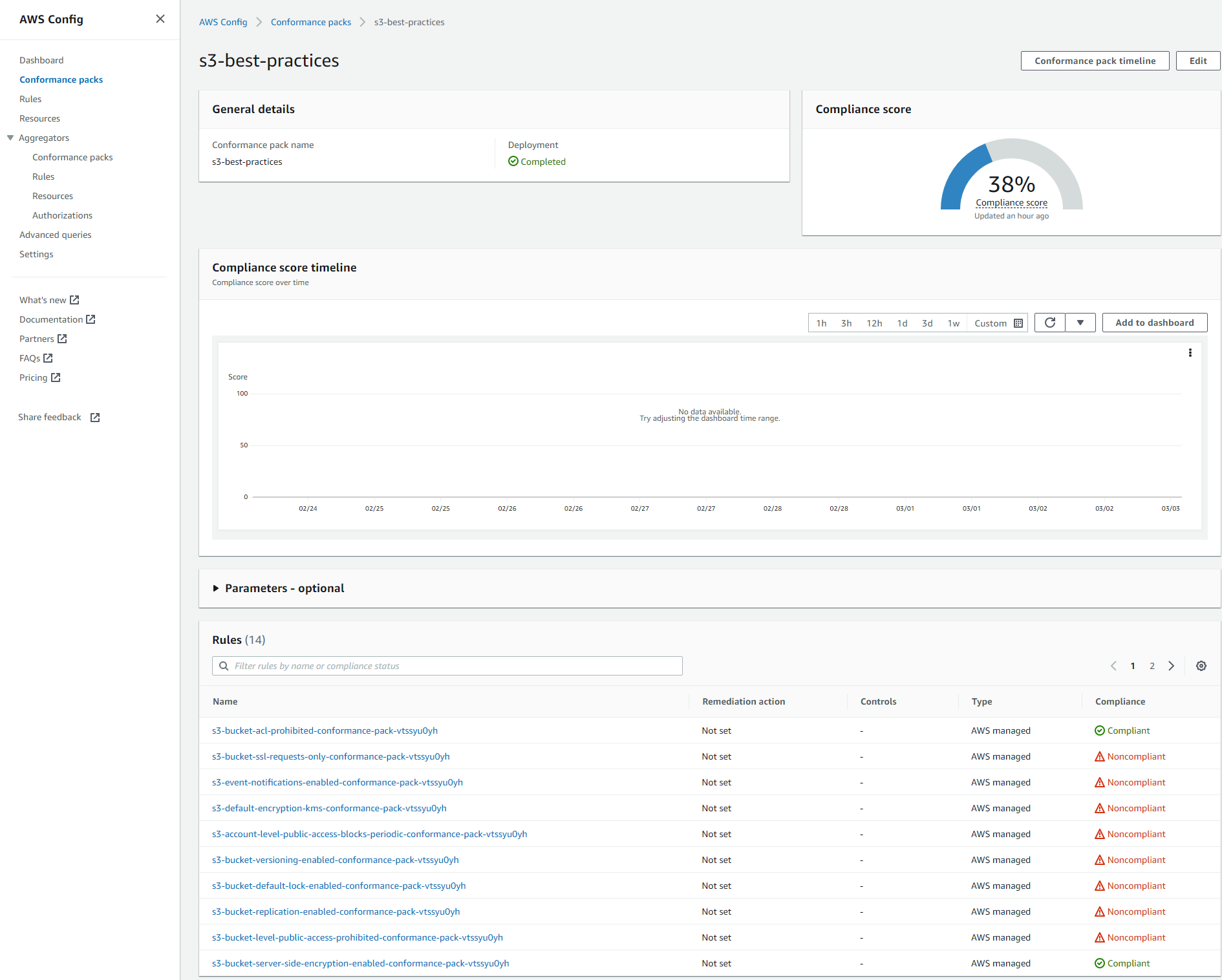
AWS Config provides the ability to create Conformance Packs. These are sets of rules and remediations "packed" into one entity. Their purpose is to facilitate the creation and monitoring of large amounts of rules.
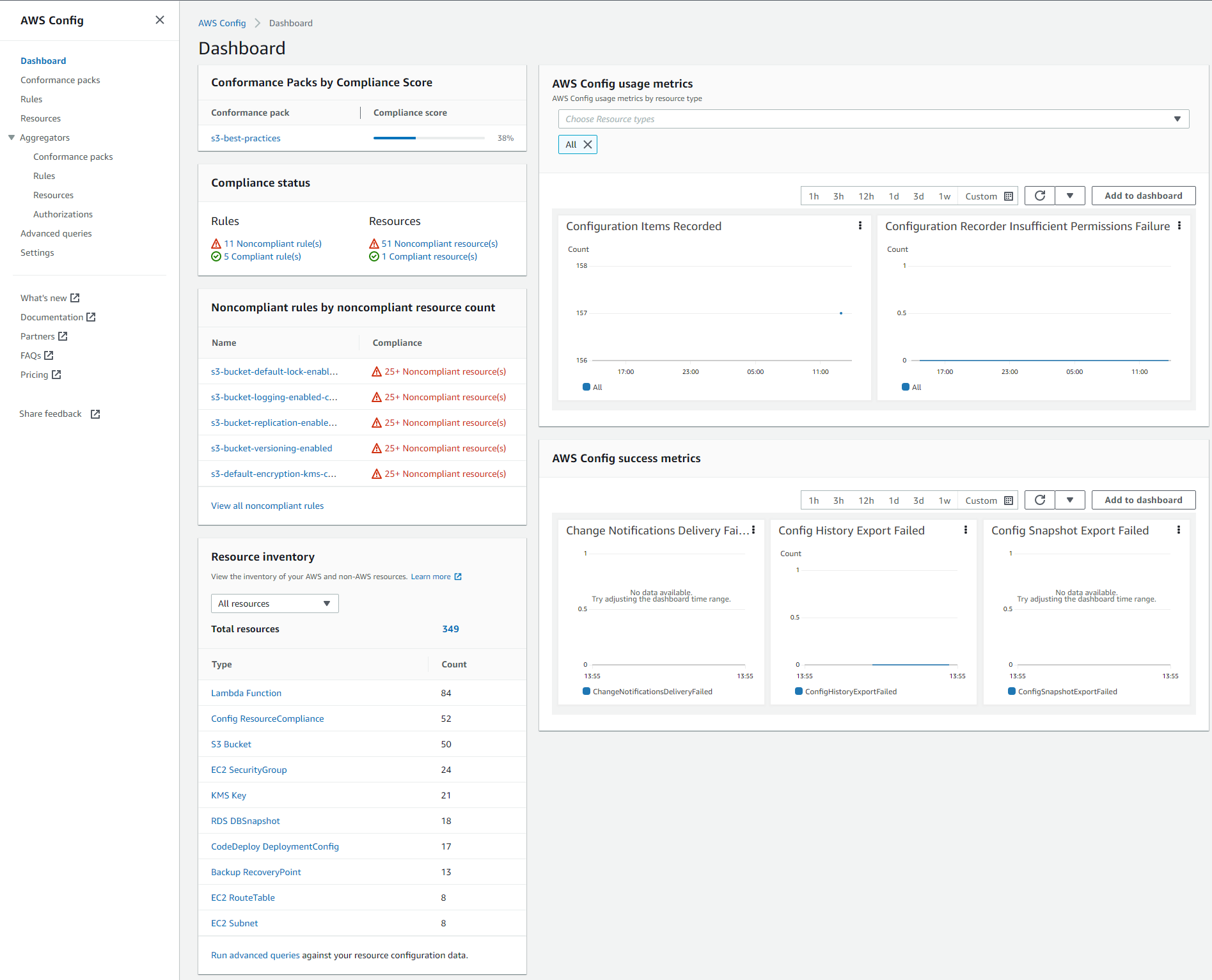
Dashboard
The dashboard contains a summary of all detected resources, the results of their evaluation by the rules, and additional metrics of the service's operation. From this place you can get a grasp of infrastracture compliance for this account’s region.
Resource Inventory
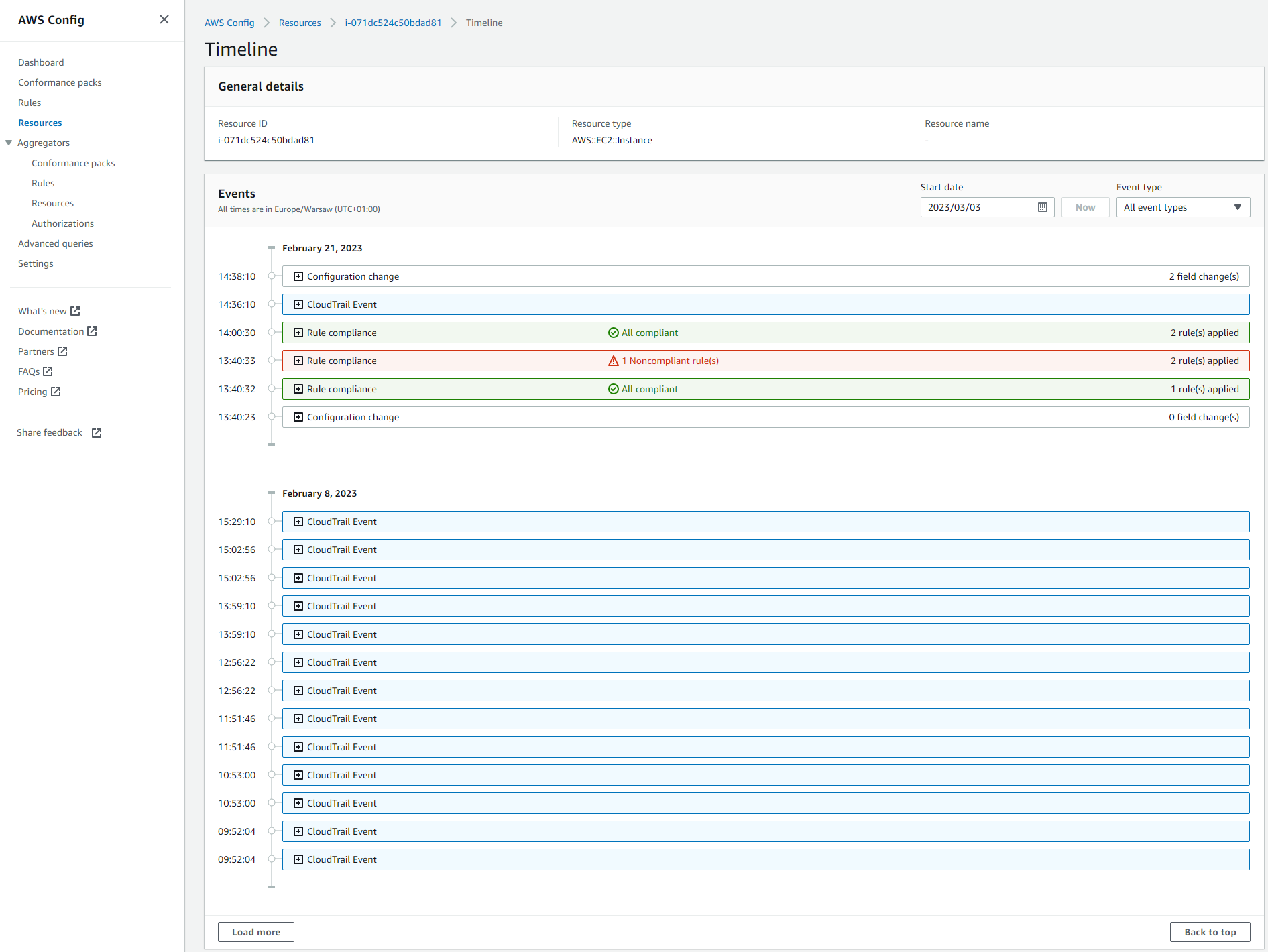
Resource inventory is one of the key features of AWS Config, which provides users with a detailed inventory of all the resources (even deleted ones) in their AWS account, including history of configuration changes.
You can navigate to any resource recorded by AWS Config to see current configuration of the resource, its evaluation results and history of changes and evaluations.
Aggregators
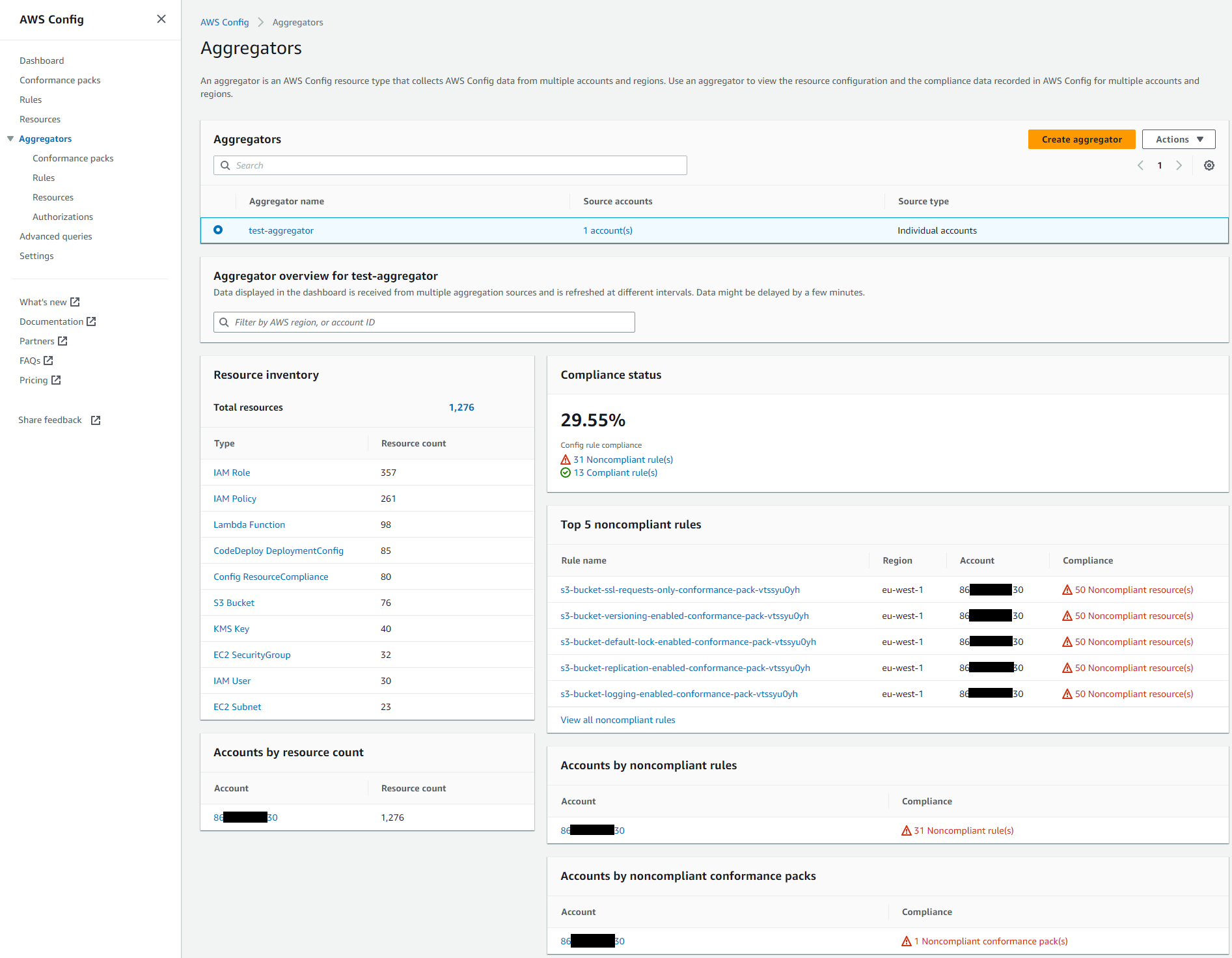
Aggregators are a type of dashboard that allows collecting AWS Config data from multiple regions and accounts. This is a very convenient solution within an organization because on the master account, or account delegated as AWS Config Administrator, we can create an aggregator that will retrieve information from AWS Configs of all accounts in the organization.
Just like with a single AWS Config, in Aggregators, you can also view conformance packs, rules, and resources aggregated from multiple accounts and regions.
Advanced Queries
AWS Config allows querying to filter the information contained in the configuration properties of resources detected by Config. A subset of the SQL language using the SELECT statement is used to create queries. You can also choose Aggregator that you want to run query on.
More information on Advanced Queries can be found at: Querying the Current Configuration State of AWS Resources.